Subscriptions & Minutes
Learn how subscriptions work and how minutes are used.
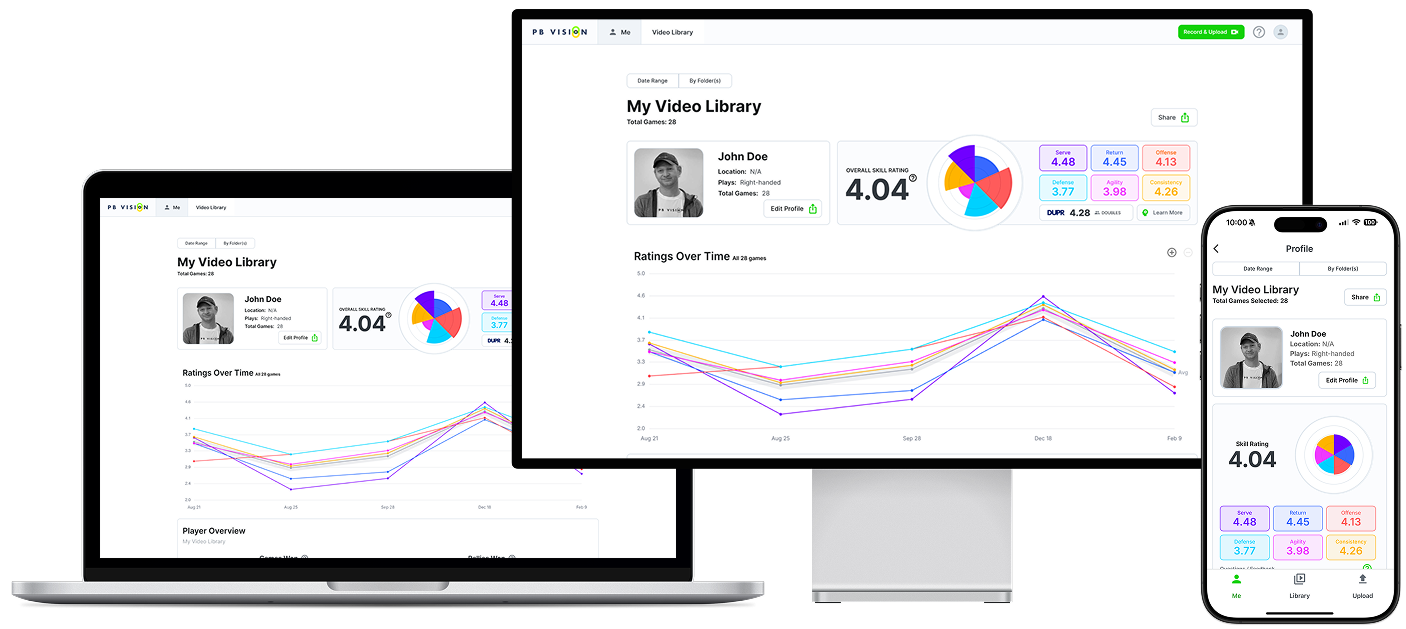
Note: We are available on desktop browser, Android, and iPhone.
📍Quick Start
Subscriptions unlock PB Vision’s analysis features and give you a pool of video minutes.
Minutes are used to process all video uploads. Unused minutes roll over and accumulate while your subscription is active. You can buy additional Minute Packs anytime.
Ambassador Program lets you share PB Vision with others. New subscribers receive bonus video minutes, and you can choose bonus video minutes or cash credits for successful referrals.
⏳Can I Try PB Vision?
Absolutely! You start with one free video upload (up to 25 minutes long). Any unused free minutes carry over if you subscribe. After your first video is processed successfully, you’ll need a subscription to upload more. You will get an onboarding bonus offer if you subscribe within a few days of doing the tutorial for your first video!
Make sure to review our video tips guide before recording your first game.
Simply create your free account to get started!
📋 Subscriptions
Subscriptions unlock the ability to upload videos for analysis and keep them stored in your library. Subscriptions also enable cross-game features like Historical Trends and long term skill improvement insights. You can upgrade or cancel your plan at any time. Upgrades apply immediately. Cancellations take effect at the end of your purchased billing cycle. We have two available plans.
Starter Pass
Monthly: $19.99 per month (100 minutes per month)
Annual: $99.99 per year (1,200 minutes per year)
This pass includes:
Auto DUPR-style PB Vision rating and skill breakdowns
Shot-by-shot breakdown
AI-driven coaching tips and highlights
Lifetime trend data across all your games
Download Excel Data, advanced JSON data, and LLM-ready data
Advanced video player with bookmarks, drawing, crop/edit modes, and export tools
Export AI highlights, saved bookmarks, and rally-only videos as MP4
Up to 10 GB storage
Premium Pass
Monthly: $49.99 per month (400 minutes per month)
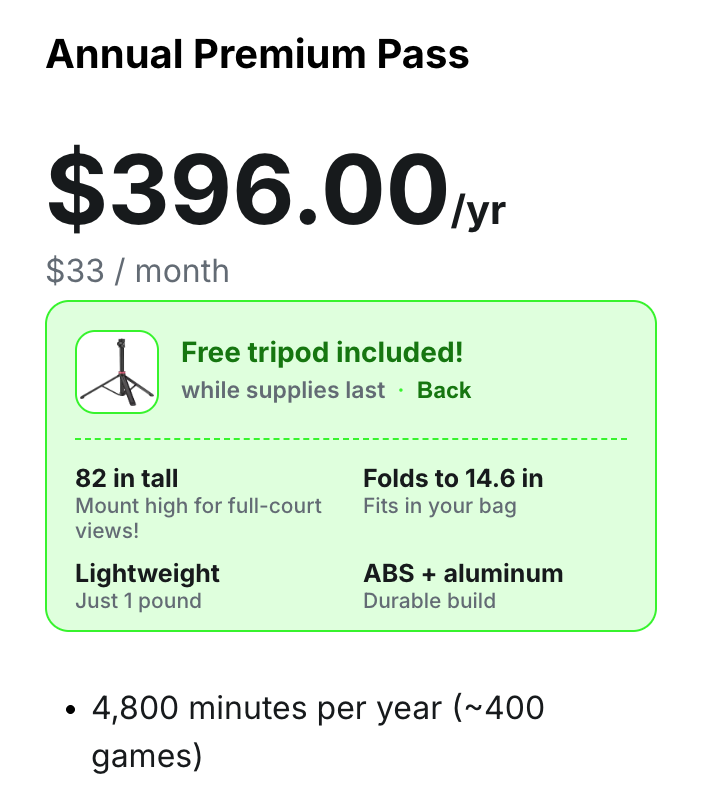
Annual: $396 per year (4,800 minutes per year)
This pass includes everything in the starter pass, plus:
Unlimited storage
4K + 60fps uploads
Better per-minute value
API access (see more)
Early access to beta features
🎁 Limited-Time Annual Premium Tripod Gift
When the offer is active, eligible users may see a free tripod gift with annual Premium. The tripod is a free gift with an annual Premium subscription, not a separate product sale. The offer applies to eligible new annual Premium purchases or eligible upgrades to annual Premium, while supplies last. After purchase, use the in-app claim prompt to submit a US or Canada shipping address.
How Do I Get a Subscription?
You can subscribe directly on our website: Subscribe to PB Vision or through our iPhone or Android app.
We accept payments through:
Web: Cash App Pay, Card, or Bank Connection
Mobile: Apple App Store (iOS) or Google Play Store (Android)
Your subscription works across all your devices. If you run into issues subscribing, feel free to contact us.
⏰ Minutes
Minutes are what power PB Vision’s analysis. When you upload a video, PB Vision uses the available minutes from your plan to process and deliver stats and insights. Minutes are deducted based on the length of video processed.
PB Vision charges for video length rounded up to the nearest second, with a minimum charge of 5 minutes. For example, a 39-second clip will use 300 seconds (5 minutes) and a 5 min 3.1 s video will use 304 seconds.
For now, it’s best submit a video containing precisely one game from start to finish. In the future, videos longer than 30 minutes will be supported for options like multiple games and long drilling sessions.
Where Can I See My Minute Balance?
Web: View Your Minutes
Mobile: Navigate to Me → Edit Profile → Video Minutes
What Happens if I Run Out of Minutes?
Minutes refill on your monthly or annual renewal. You can also purchase Minute Packs anytime.
60 Minute Pack (about 5 games)
$9.99 (about $2 per game)
300 Minute Pack (about 25 games)
$39.99 (about $1.60 per game)
1,200 Minute Pack (about 100 games)
$99.99 (about $1 per game)
To purchase minutes in bulk or for use with our API, email support@pb.vision
Do My Minutes Expire or Roll Over?
Minutes do not expire and they roll over while your subscription is active. You need an active subscription to spend minutes. If your subscription lapses, your minutes will be available to use as soon as you reactivate.
Will I Get Minutes Back if I Remove a Video From My Library?
Removing or hiding a video does not return minutes. If you hit an analysis issue, contact us with a link to the video so we can help.
⮐ Refund Eligibility
Subscription
PB Vision is a digital service and subscriptions deliver value immediately by unlocking upload minutes, analysis features, and skill ratings. Because processing incurs real costs, we can’t offer subscription refunds once a video has been processed using subscription minutes. You are welcome to try PB Vision with a free upload before subscribing.
You can cancel anytime to prevent renewal. Cancellation takes effect at the end of your current billing period so you can use the product up until then.
If you’re unsure which applies to your situation, feel free to contact our support team and we’ll be happy to confirm your eligibility.
⚠️ Apple App Store & Google Play Store Purchases
If your subscription was purchased through Apple or Google, all refunds must be handled directly through the platform where the purchase was made. We don’t have the ability to refund or adjust these purchases from our side.
Video Minutes
PB Vision offers two potential types of video-minute refunds
Automatic refunds (handled by the AI)
Manual refunds (handled by the PBV team after review)
Depending on the error you see, your video may fall into one of these categories.
Automatic Refunds (AI-Detected Issues)
Significant motion detected in video
Court boundaries not visible
Video uploaded is not of a pickleball match
If this happens, the system automatically refunds the minutes as long as auto-refund credits remain.
Subscribers also receive an additional 5% bonus pool of automatic refund minutes to cover occasional upload mistakes.
⚠️ NOTE
Automatic refunds only occur when the AI determines a video cannot be fully analyzed.
“Taking Longer Than Expected” (Manual Review Required)
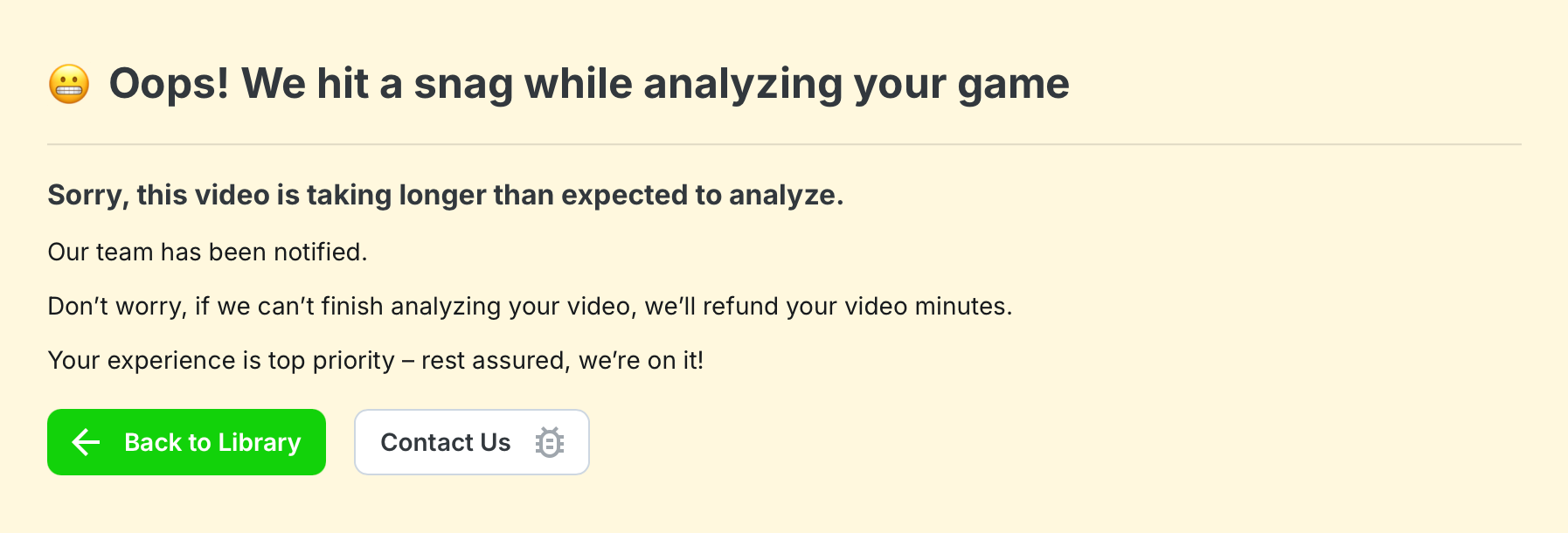
If you see a message similar to the one above, this means the video requires a manual review by our engineering team to determine if they can be re-processed.
In these cases:
Do not re-upload the video.
Re-uploads use additional minutes and typically result in the same error on re-processing
We attempt to manually reprocess it after resolving any issues with the upload
If we are unable to complete the analysis after review, we will refund your video minutes
Most videos successfully reprocess within 24 hours. However, if you still see this message on your upload after 24 hours, feel free to contact our support team.
First-Time User Upload
If your first upload fails due to framing or visibility issues and the AI does not automatically refund your minutes, our team may provide a one-time courtesy refund after reviewing the video.
For all future uploads, please follow our Framing & Court Alignment Guidelines to ensure the video can be analyzed successfully moving forward.
🔌 Looking for an API?
The PB Vision API allows approved partners to send us game footage, then receive AI-generated performance data back once processing is complete. Our AI detects rallies, shots, errors, player movement, and player ratings, delivering pro-level analytics your users can explore in PB Vision or inside your own experience.
Check out our PB Vision API Partner Guide.
🔌 FAQ
I have minutes but can’t upload — You need an active subscription to spend minutes. Having minutes alone (e.g. from a lapsed subscription or referral bonus) does not unlock uploads. Reactivate your subscription to use them.
My referral reward didn't appear: Referral rewards are awarded after the referred person starts their first paid subscription, not when they create an account. Video-minute rewards are 240 minutes for an annual subscription or 48 minutes for a monthly subscription. If cash rewards are enabled, the reward is 500 to 3,000 referral credits depending on the plan and billing period. Rewards may take a few minutes to appear.
How do cash referral payouts work? Email support@pb.vision from your PB Vision account email to enable cash rewards for future referrals. Once your balance reaches 10,000 referral credits ($100), you can request a Stripe payout from your Ambassador Dashboard.
What’s the difference between the free upload and a subscription? — The free upload lets you try PB Vision once (up to 25 min). After that first video processes, you need a subscription to upload more.
Can I switch from monthly to annual (or vice versa)? — See Managing your Subscription for step-by-step instructions. Note: you can’t downgrade from annual to monthly mid-cycle — you must cancel and resubscribe when the annual term ends.
⁉️ Looking For More?
If you still have questions or run into issues, check out our Contact Us guide or email support@pb.vision.