Advanced Insights with Data Exports
We're thrilled to announce the release of Data Exports. This gives you ownership of your data and unprecedented access to everything from high-level, advanced statistics down to detailed frame-by-frame data. You can now dive deeper into your game than ever before. We’re excited to see how the community uses and builds on all this data!
📈What data is available?
Stats - an extensive set of advanced statistics inspired by discussions with pro teams, coaches and users that goes beyond what's currently available in our insights view. Read more about these stats in this file in our blog post Advanced Stats or check out the data’s schema here.
Insights - The data used to power the PB Vision app. Check out the data’s schema here.
CV - The low-level computer vision data from which everything else is derived. Check out the data’s schema here.
Which export should I use?
Use Discuss with AI for normal coaching-style analysis. It packages your game data with the context an AI assistant needs. Use Download Excel Data when you want a spreadsheet-friendly stats file. Use Download Raw Data when you want the full technical files for your own analysis, scripts, or API-style workflows.
The Stats, Insights, and CV exports are not identical files. The Stats file summarizes player, team, and shot-group metrics. The Insights file powers much of the PB Vision app experience and includes shot and rally structure. The CV file is lower-level computer-vision data.
Field names can change as the product evolves, so use the linked schemas as the source of truth and avoid assuming a field from one export exists in another.
If you're analyzing shot speeds, see how PB Vision calculates speed before interpreting the values.
🙋Who is this for?
The stats export is available through Download Excel Data for players, coaches, and analysts who want a spreadsheet-friendly file. Developers and advanced users can also use Download Raw Data for JSON exports, including advanced stats, insights data, and LLM-ready data.
⬇️How do I download all this new data?
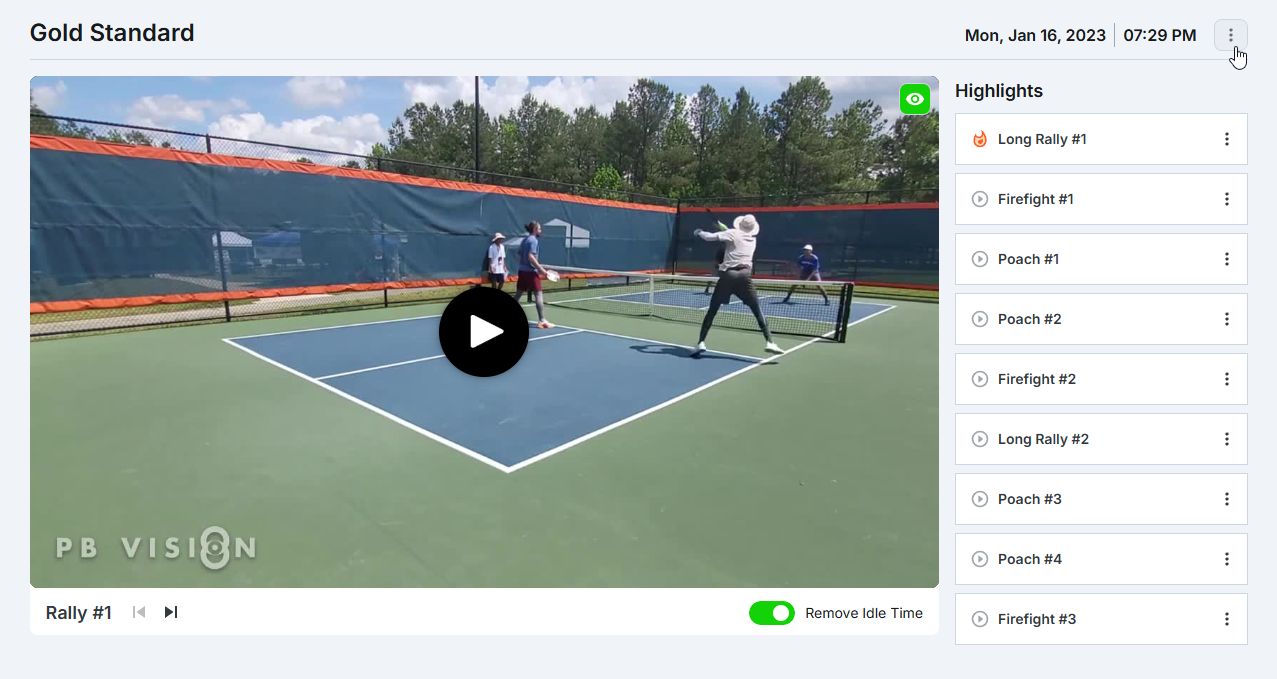
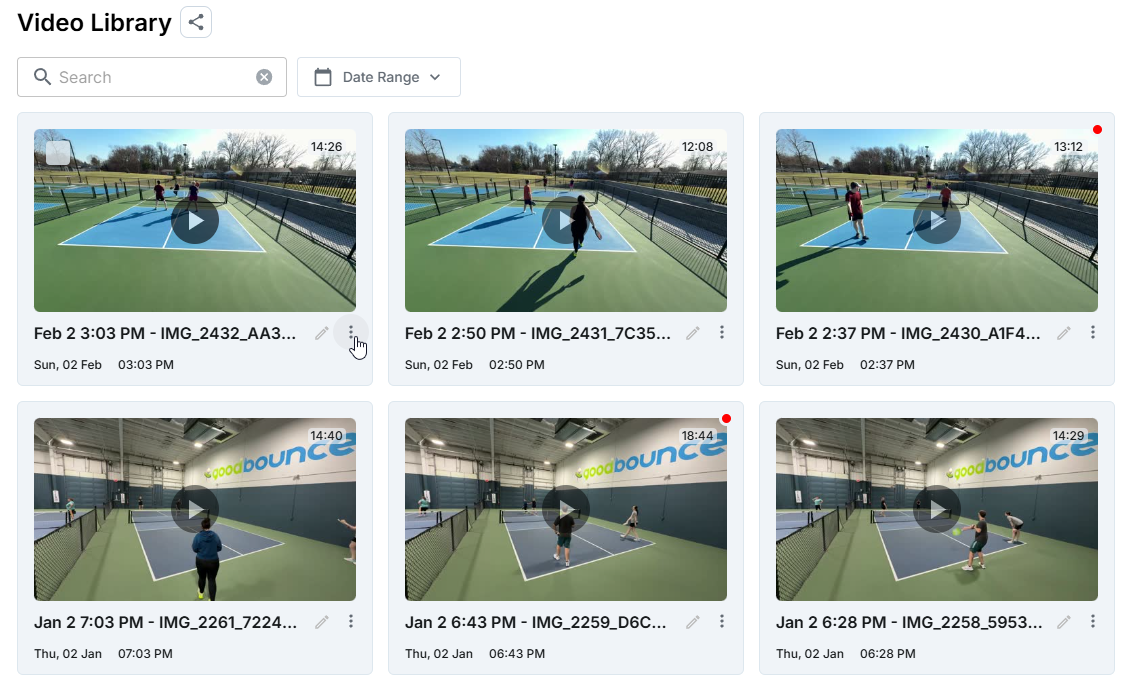
Open the video or find it in your Library, select the three-dot menu, then choose Download Excel Data or Download Raw Data.
What’s next?
We'll be frequently updating the advanced stats with more data! If you have a stat in mind that you'd love to see, please come chat with us about it on Discord #pickleball_stats!
Was this helpful?
Still need help? Share an idea