Framing & Court Alignment Guidelines
To get the most accurate results from PB Vision, your video should follow the guidelines below. Videos that don’t meet these guidelines may fail to upload or result in inaccurate stats. These tips are designed to help you get clean, AI-ready footage.

Proper framing helps PB Vision clearly see the court, players, and ball throughout your game, significantly improving the accuracy of your analysis and insights.
For the easiest setup, record through the PB Vision mobile app. CourtFocus helps align your court before recording, while the app uses the optimal recording settings automatically.
If you're recording outside the PB Vision app, use the requirements and examples below to make sure your video is ready for analysis.
📸 Video Walkthrough
🎥 Recording Requirements
Recording Outside the PB Vision App
For the most consistent results, record at 1080p/30fps or higher and avoid HDR, image stabilization, or other special recording modes.
👀 Framing Examples
Offset View
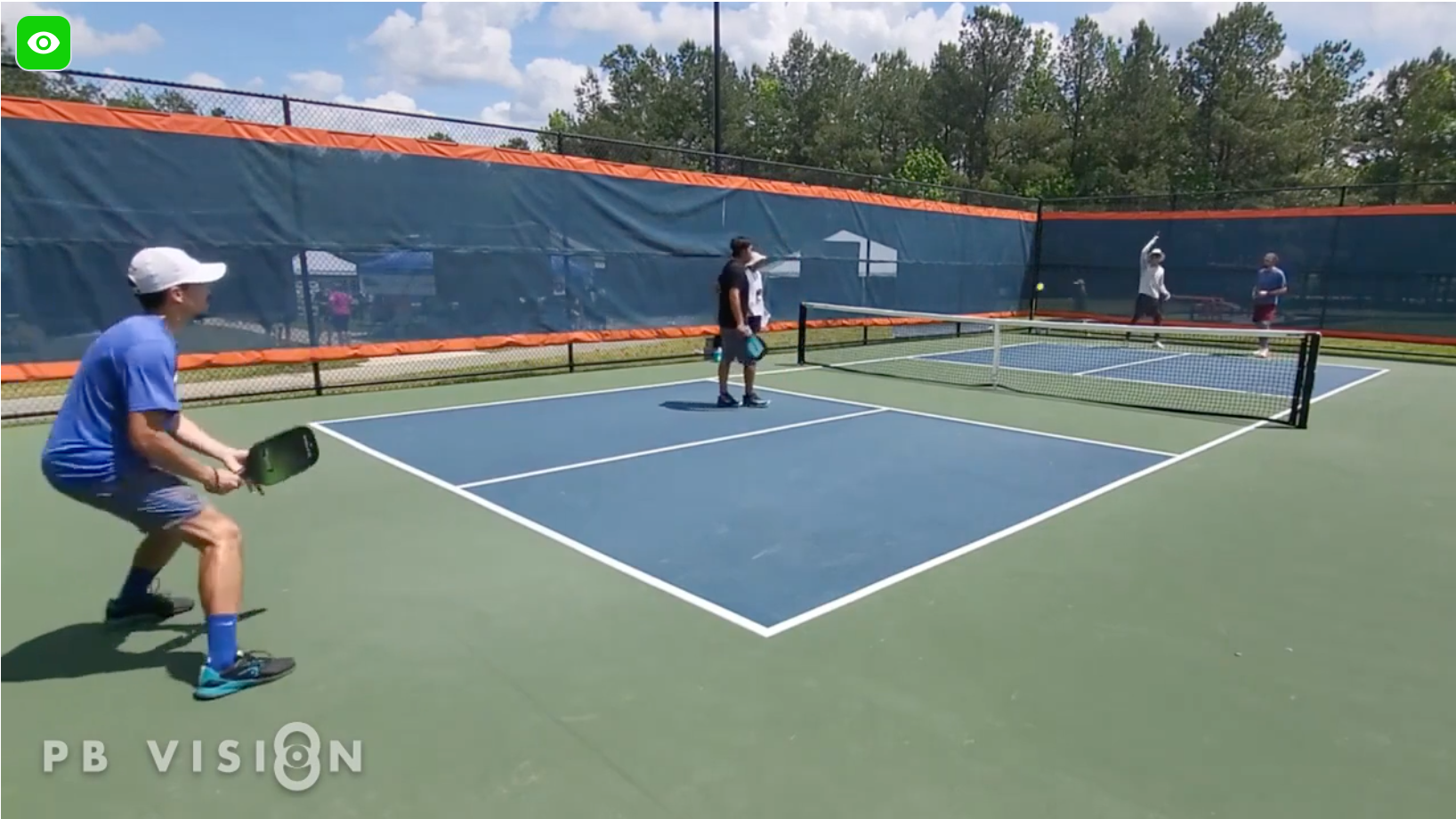
All four corners, court lines, and players remain clearly visible.
Court Cut Off
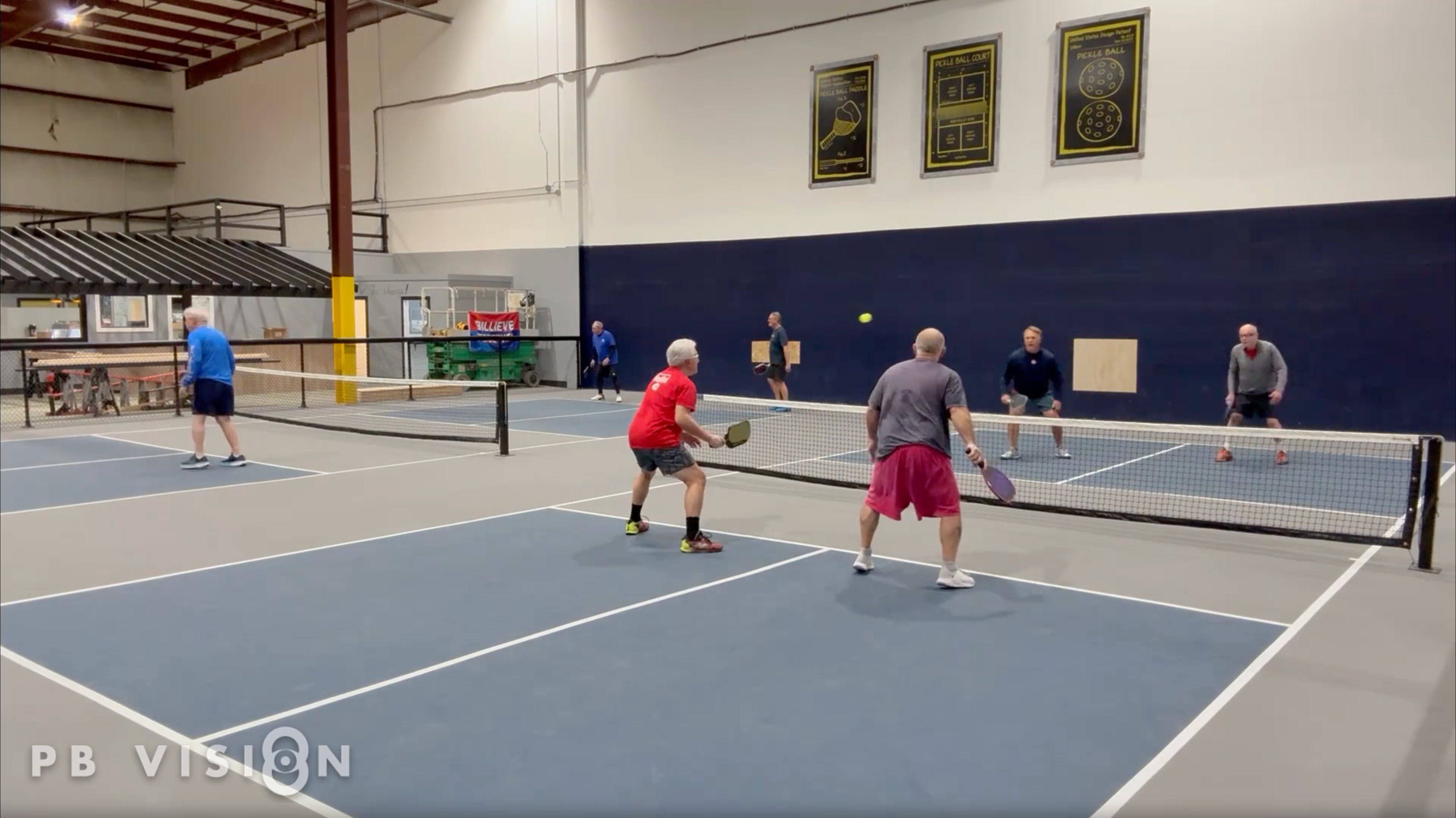
Use a wider camera angle so the entire court remains visible.
Side View
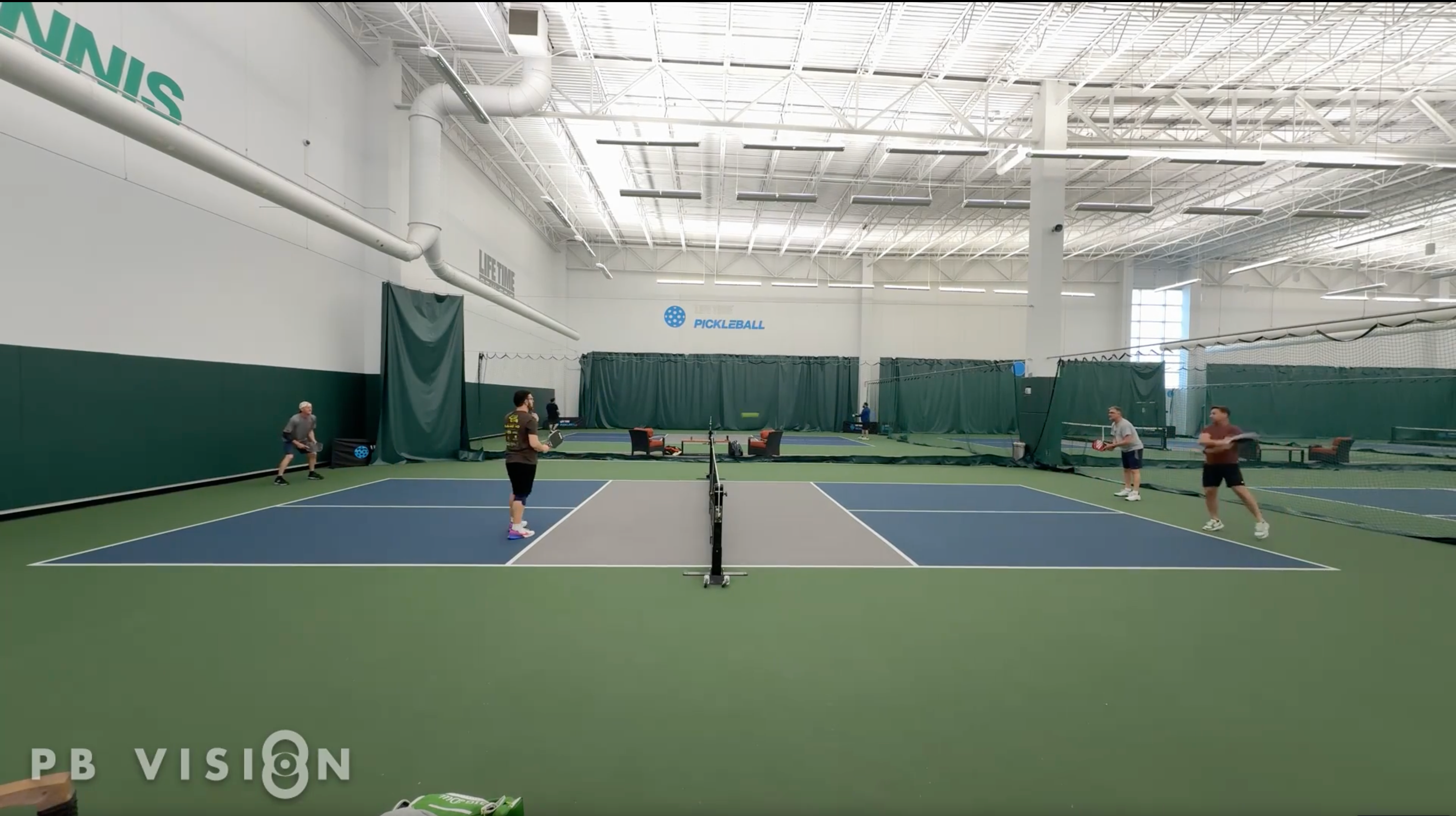
Court lines and players
remain clearly visible.
Camera Too Low
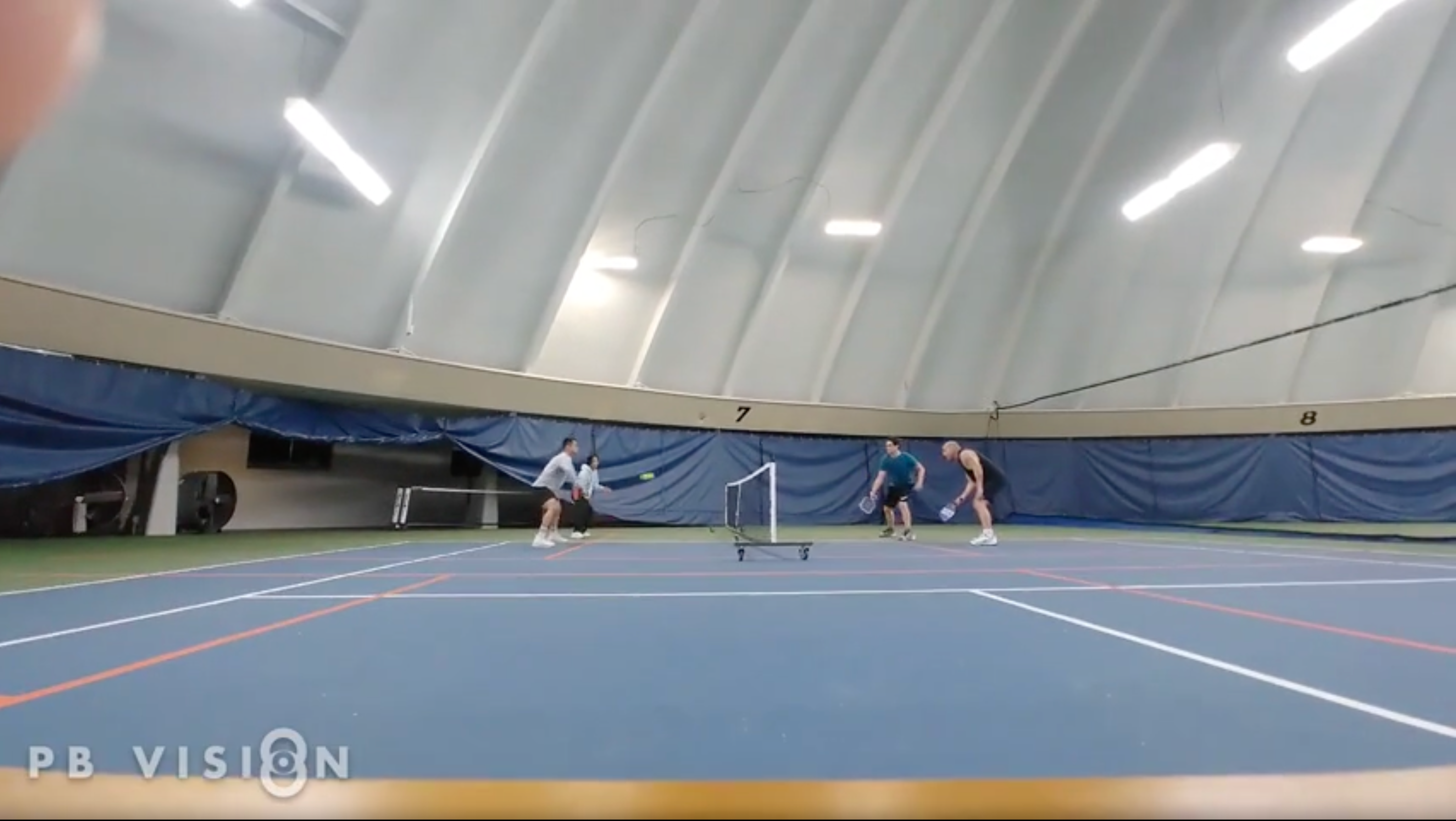
Raise the camera to prevent players or the net from obstructing court lines.
Behind the Baseline
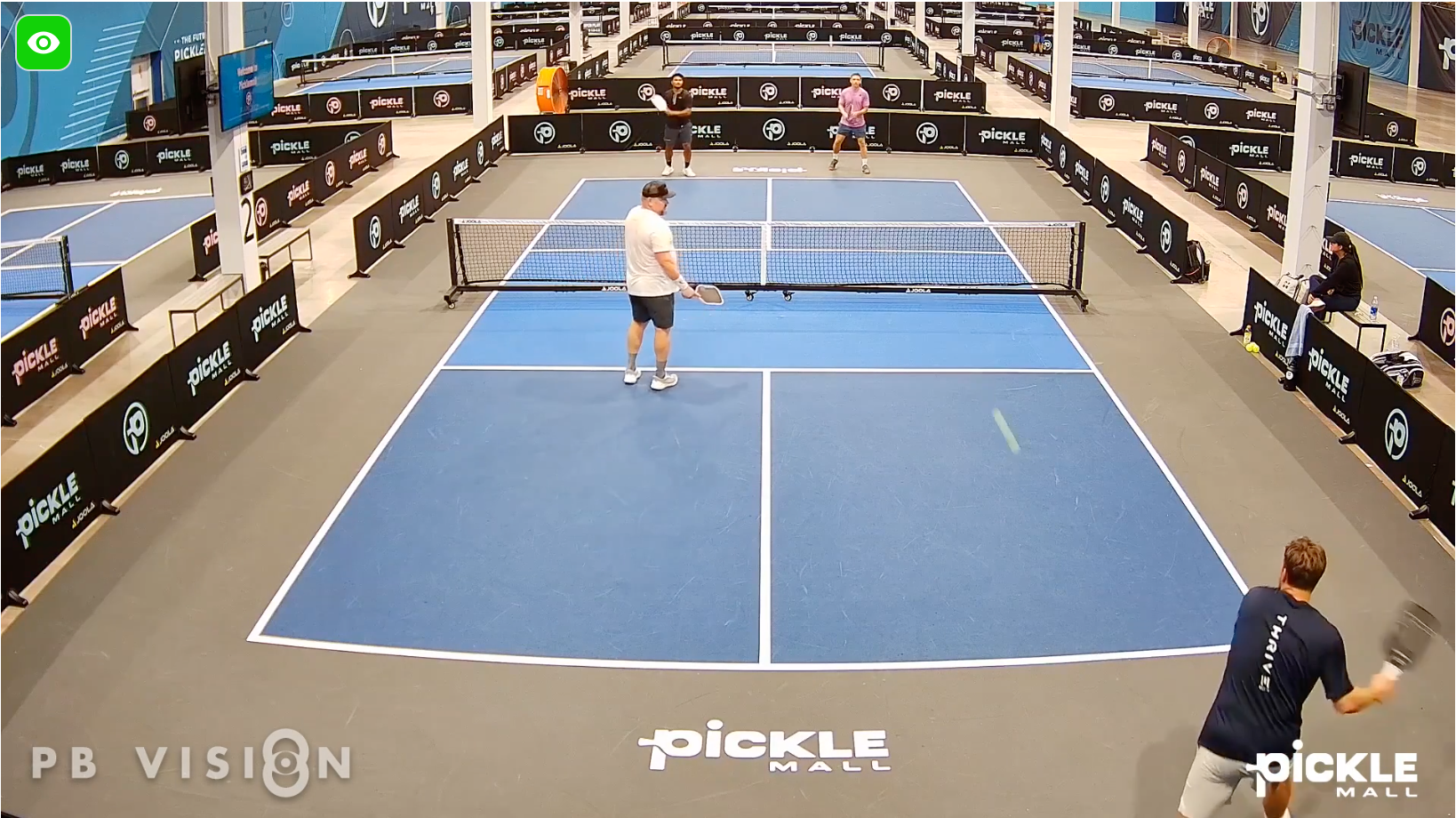
The court remains clearly visible with balanced lighting.
Strong Backlighting
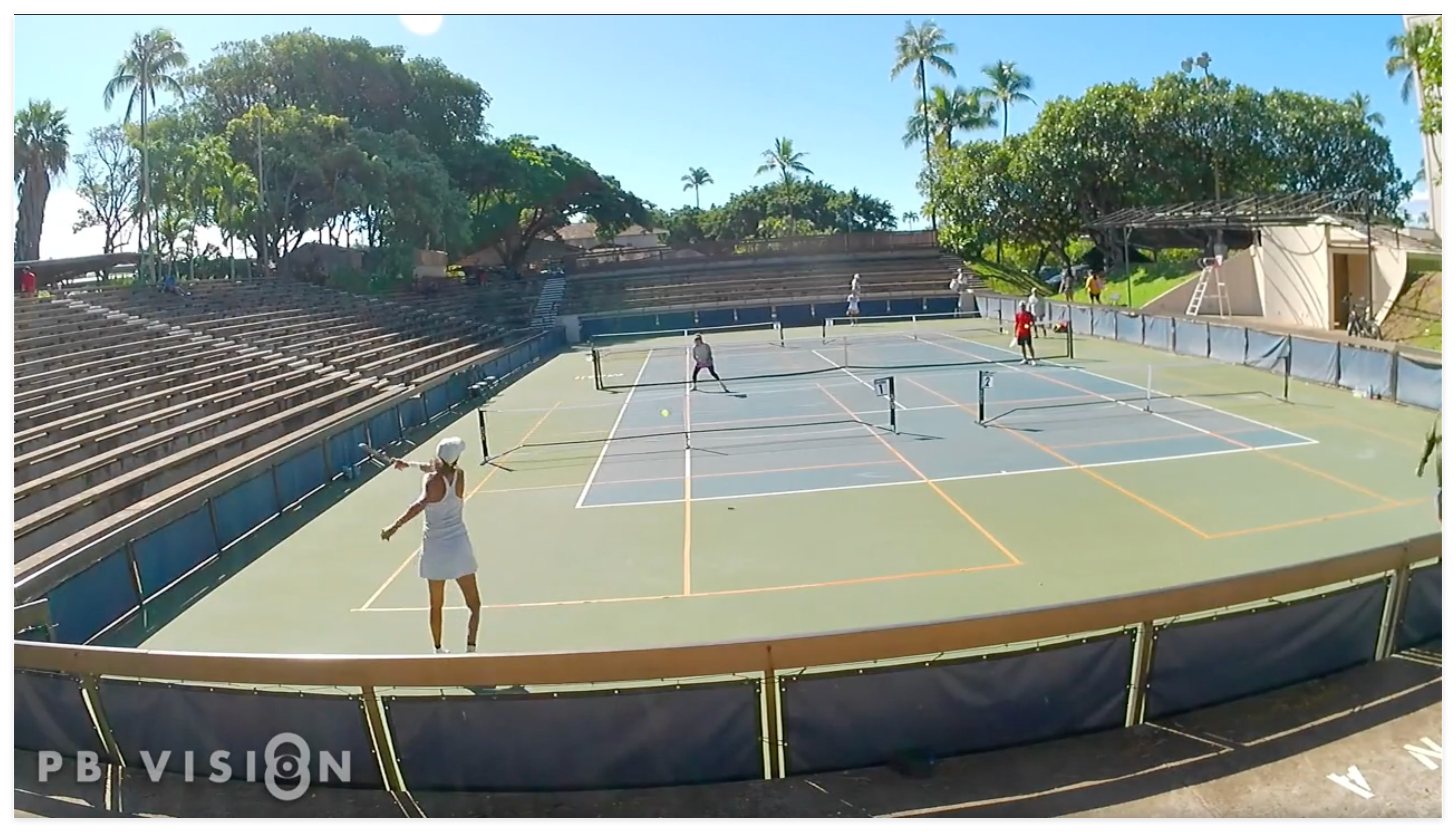
Avoid recording directly into the sun, which can wash out court lines and players.
Baseline Corner
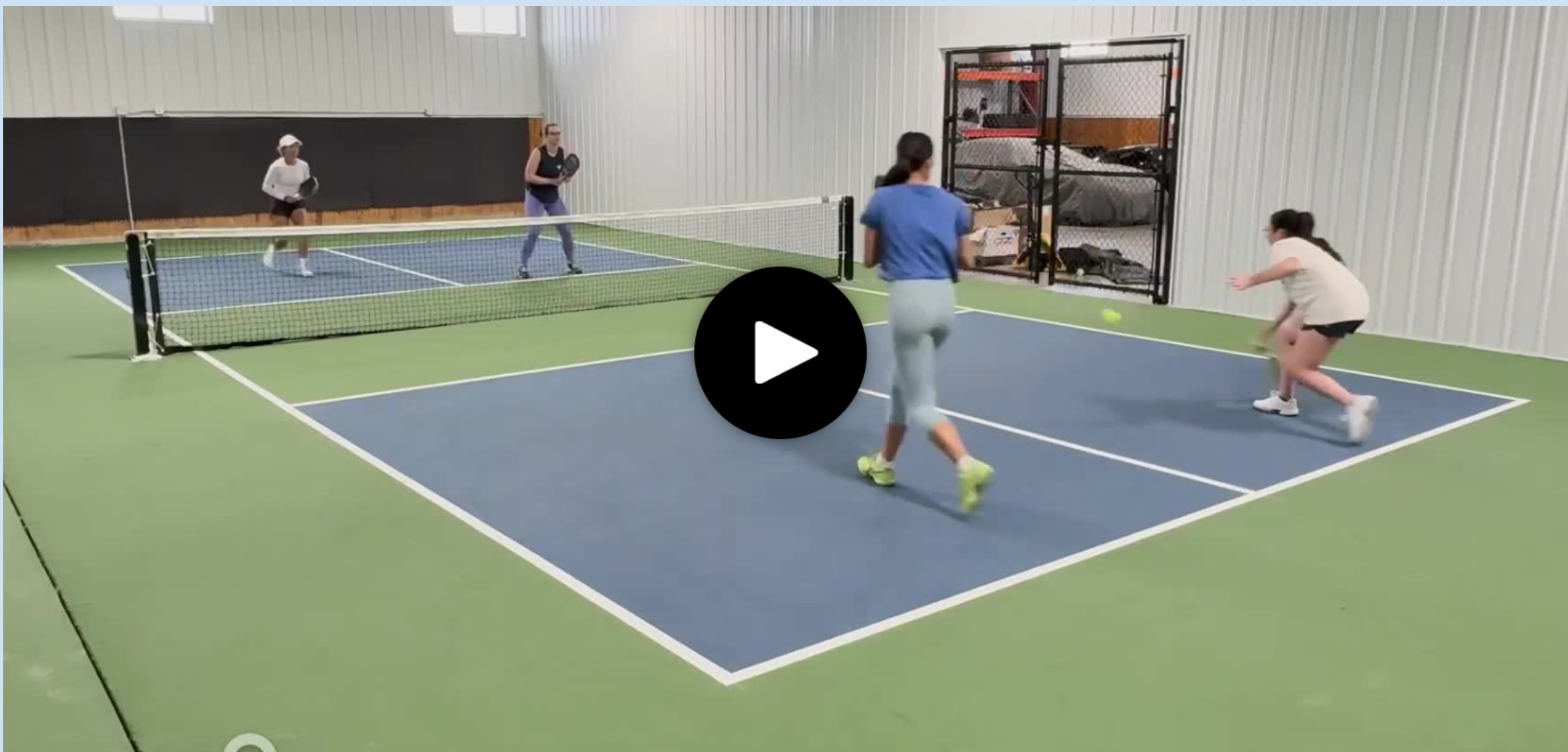
Players, court lines, and the ball remain visible throughout play.
Directly Behind Players
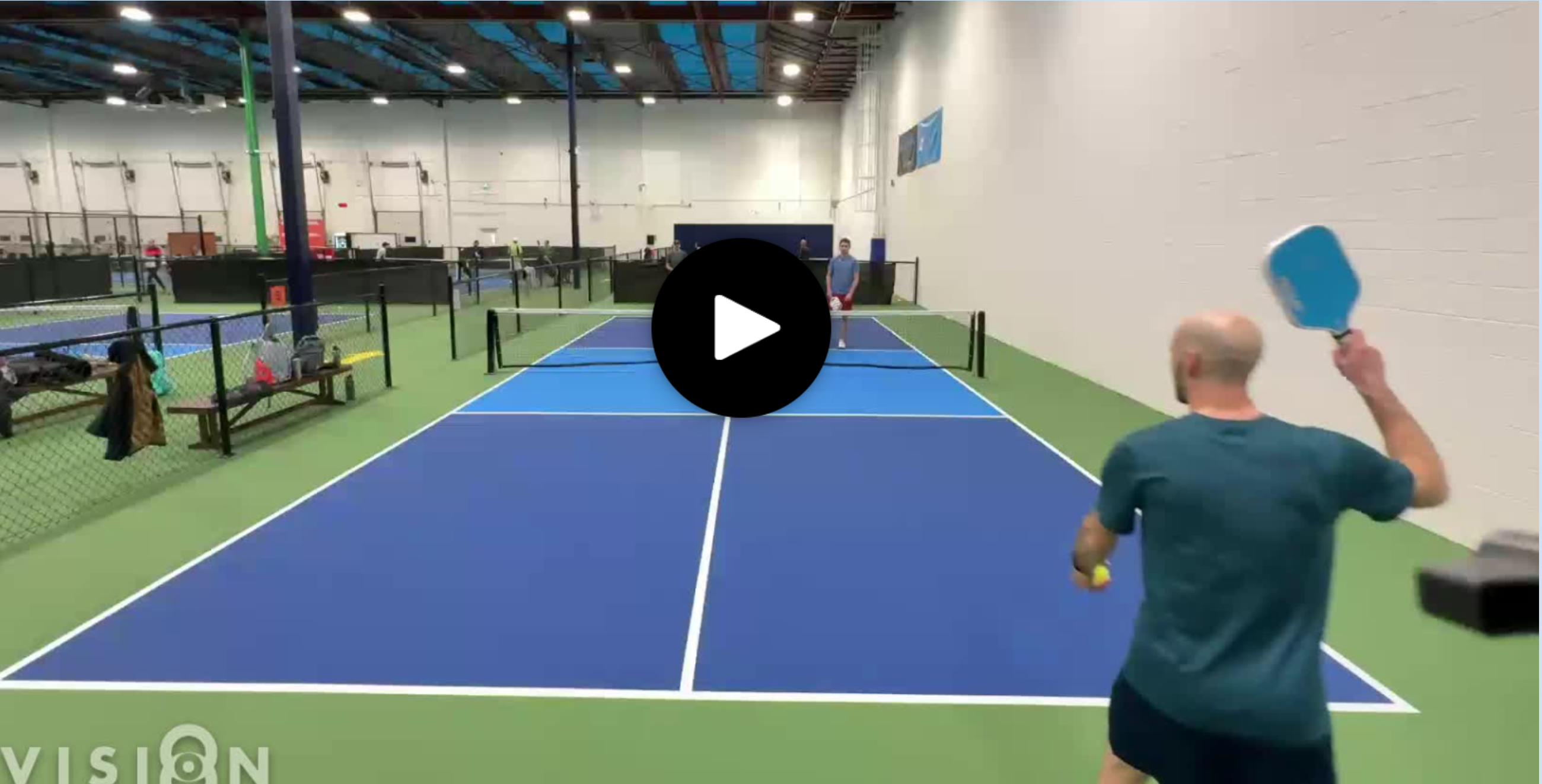
Adjust the camera position so players don't consistently block the ball or opposite side of the court.
🔍 Frequently Asked Questions
What angles work best?
Any angle can work as long as the entire court and all players remain visible. Position the camera at least 5 feet high and make sure players don't regularly obstruct important areas of the court.
What if we stack or switch sides often?
PB Vision can follow players as they change positions as long as everyone remains visible and there aren't other people close to the court that could interfere with tracking.
Can the AI process drills?
Not at this time. PB Vision analysis is designed for traditional singles and doubles gameplay.
Can I record with something other than a smartphone?
Yes. You can record with another digital camera as long as the resulting video meets PB Vision's supported video requirements.
Can I upload footage from a tournament?
You can, but footage that switches between multiple camera angles may not analyze reliably. PB Vision works best with a single, stationary camera angle throughout the game.
Can I upload videos exported from SwingVision?
Use caution. If the export removes the time between rallies, PB Vision may interpret the footage incorrectly. For the most reliable results, use a complete recording that preserves the time between points.
What is CourtFocus?
CourtFocus is available when recording through the PB Vision mobile app and helps you align your camera with the court before recording. Once the court is aligned, you can start recording with settings optimized for PB Vision analysis.
Was this helpful?
Still need help? Share an idea